The short answer
On-device AI runs the model on hardware you already own, so the material being processed does not need to be sent to an outside service. Cloud AI runs the model on a provider’s infrastructure, reached over the internet.
Neither is better in general. Cloud models are larger and scale further. On-device models are smaller, keep the work inside the building for supported workflows, and cost the same whether you run ten jobs or a thousand. Most organisations end up running both, and the useful exercise is deciding which workloads belong on which side.
That decision is the subject of this article.
The decision table
| On-device or local network | Cloud AI | |
|---|---|---|
| Where processing happens | A machine in your office | Provider infrastructure, reached over the internet |
| Does the material leave the building | No, for supported workflows | Yes |
| Model capability | Smaller models, strong on structured and document tasks | The largest available models |
| Cost shape | Hardware plus licence, no per-token charge for local inference | Consumption based, grows with usage |
| Cost at 10x usage | Broadly unchanged | Roughly 10x |
| Concurrency | Bounded by the machine, must be sized before rollout | Effectively unbounded |
| Works without internet | Yes, once deployed | No |
| Time to deploy | Hours on one machine, days for a shared server | Minutes to sign up, longer for a governed rollout |
| Who administers it | Your team | The provider, within their console |
| Which model runs | You choose, and it stays until you change it | The provider decides, and it can change |
| Best for | Confidential documents, repeatable internal workflows, predictable cost | Scale, open-ended reasoning, public-facing volume |
Print this. Most evaluations get stuck arguing about the first row and never reach the rest.
The five questions that actually decide it
1. Can this material leave the organisation?
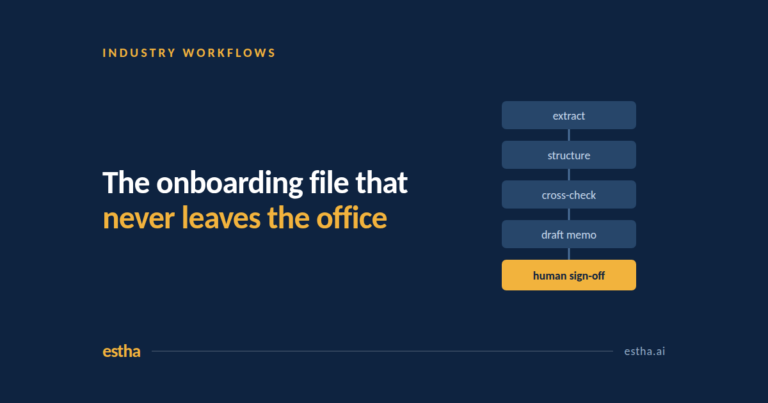
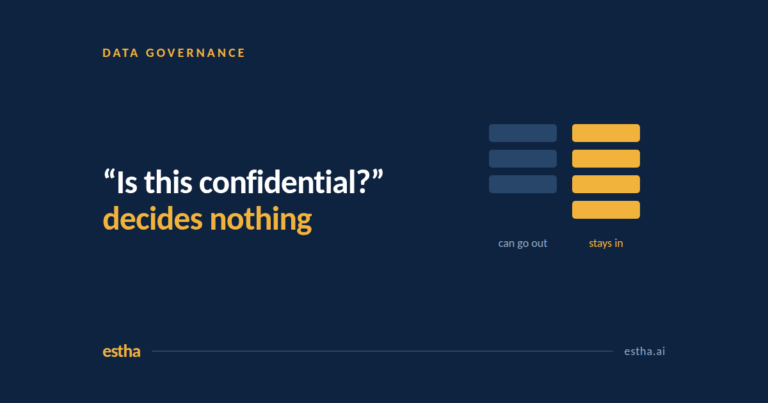
Not “is it sensitive”, which produces an unusable answer, because everything feels sensitive. Ask which specific documents in which specific process cannot be sent outside. Client onboarding files. Board papers. Payroll records. Audit working papers. Draft contracts. Patient notes.
If that list is empty, cloud is very likely the right answer and probably cheaper to run. If the list is long and sits at the centre of what you charge for, that is the signal to look at options where the file never travels.
2. How hard is the reasoning?
Local models are smaller than the largest frontier models. That matters less than people expect for the work most organisations actually want automated: summarising, extracting fields from documents, checking one document against another, drafting from a template, analysing a spreadsheet.
It matters a great deal for open-ended reasoning, long multi-step research, and tasks where the quality ceiling is the point. Be honest about which one you have.
3. Is the volume predictable?
This is the row people notice last and regret first. Consumption pricing is comfortable during a pilot and uncomfortable at scale, because success increases the bill. A machine plus a licence costs the same in month one and month twenty-four.
If a workflow will be used heavily by many people every day, model both curves out to two years before deciding.
4. How many people need it at the same moment?
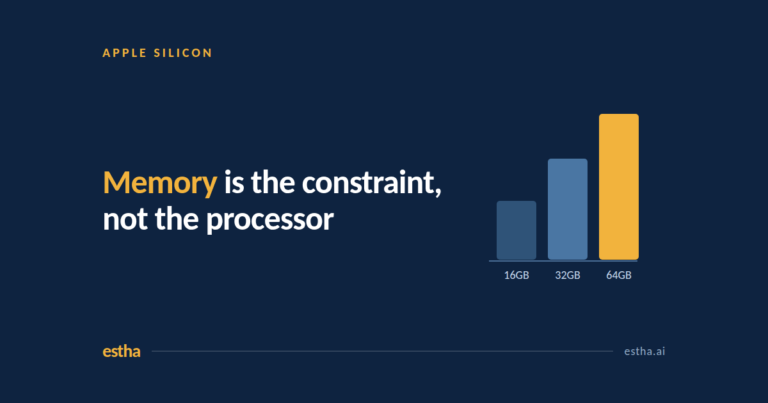
An on-device deployment has a real ceiling. One machine serving a department can handle a certain number of simultaneous heavy jobs and no more. That number has to be sized before rollout, not discovered afterwards.
Cloud has no practical ceiling. If your pattern is fifty people all running heavy jobs at 9am on Monday, say so early.
5. Who has to answer for it?
If a regulator, a client contract or a professional standard means someone has to be able to explain where a document was processed, an architecture where the answer is “on that machine, in that room” is easier to defend than one that depends on a contract and a region setting.
The mistake almost everyone makes
Organisations try to decide this once, for the whole company. It is the wrong unit.
The right unit is the workflow. A firm can reasonably run a cloud assistant for general drafting, research and everyday productivity, and a local deployment for client files and internal knowledge. Those are not competing decisions. They are different tools reaching for different jobs, and most mature setups have both.
The practical version: list your ten most expensive repetitive processes, run each one through the five questions above, and let the answers fall where they fall. You will usually find the split is obvious once the question stops being philosophical.
What “on-device” does and does not mean
Worth being precise, because the term is used loosely.
On-device means inference runs on the machine in front of the person. On the local network means inference runs on a different machine in the same building, reached over the office network. Both keep the work inside your environment. They are not identical, and any vendor should be willing to state plainly which one they are proposing.
Edge AI usually refers to small models on constrained hardware such as cameras, sensors or phones. Related, but a different problem.
Private cloud means dedicated capacity in a provider’s data centre. It is a genuine improvement over a shared consumer service, and it is still a rack in someone else’s building. Most of what is currently marketed as private AI is this.
A model runner is not a platform
There is a second confusion worth clearing up, because it sends evaluations down the wrong path.
Tools like Ollama and LM Studio let you download and run an open model on your own machine. They do that well, they are free, and for a technical person experimenting they are the right starting point. What they give you is an engine. Turning that engine into something a finance team or a school administrator can use every day means building the rest of the car: the applications, the knowledge base, the access control, the distribution to colleagues, the support when it stops working.
That gap is where most local AI projects quietly die. Someone technical proves it works, and then nobody builds the twelve things that would let anyone else use it.
So when comparing options, be clear which question you are asking. “Can we run a model locally” and “can our organisation use local AI for real work” have very different answers.
One more thing local deployment gives you: model choice
In most AI products you do not choose the model behind the interface, and you are not told when it changes. For everyday use that is fine. For a regulated workflow that has been tested and signed off, a model changing underneath you is a real problem, because the validation you did was against the old one.
Running locally puts that decision back in your hands. You choose which model runs, and it stays in place until you decide otherwise. It is a procurement and governance question more than a technical one, and it tends to come up late in enterprise evaluations, usually from someone in risk rather than someone in IT.
Where Estha on Mac sits
Estha on Mac is an on-device and local-network platform for Apple Silicon. AI inference runs locally on your Mac, either on a single machine or on a Mac on the local network that colleagues connect to, including from Windows where that has been configured. There is no per-token charge for local inference.
It ships with a library of ready-to-use ChatApps and a growing set of AI Agents for document processing, data analysis, presentations and meetings, and organisations can have applications built around their own processes and knowledge.
The reason we publish a table rather than an argument is that the table is what the decision actually needs. If your answer to question one is “nothing here is restricted” and your answer to question two is “we need the strongest possible reasoning”, we are not the right tool for that workflow, and you should be told so before a proposal is written rather than after.
Frequently asked questions
Is local AI better than cloud AI?
Neither is better in general. Cloud models are larger and scale without limit. Local models are smaller but keep the work inside your environment for supported workflows and carry a predictable cost. The comparison only becomes answerable at the level of a specific workflow, using the five questions above.
What does on-device AI mean?
It means the AI model runs on hardware you control rather than on a provider’s servers. For supported workflows the material being processed does not need to be sent to an outside AI service for inference. Whether that means the individual computer or a machine on the office network is a deployment choice, and it should be confirmed for your specific setup rather than assumed.
Is it possible to run AI locally for a whole team?
Yes. One suitably specified machine on the office network can serve a department, with colleagues connecting to it over that network. The constraint is simultaneous heavy usage rather than headcount, so the number of concurrent users has to be sized before rollout.
Does on-device AI work without an internet connection?
Once the platform and models are installed, local inference does not depend on an internet connection. This is also a fast way to test what a vendor really means: ask what stops working if the connection drops.
Is on-device AI cheaper than cloud AI?
It depends entirely on volume. Cloud is cheaper to start and grows with usage. On-device carries an upfront hardware and licence cost and then a flat running cost, with no per-token charge for local inference. Light and occasional usage usually favours cloud. Heavy, daily, repeated workflows usually favour local. Model both over two years rather than comparing month one.
Work out which of your workflows belong where
If you can name one process that is expensive, repetitive, and too confidential for cloud AI, that is the conversation worth having. We start by mapping the workflow before anyone talks about software.
One email a month on private AI. For people who cannot put their work in the cloud. No spam, unsubscribe anytime.