The gap between the question and the answer
A finance director at a mid-sized advisory firm has a real problem. Her team spends most of a working day on every client onboarding file: reading identity documents, cross-checking ownership structures, writing up a summary that a senior reviewer signs off. She has watched a demo of a cloud AI assistant do something similar in four minutes. She would like that.
She also cannot use it. The documents on her desk are passport scans, shareholder registers and bank references belonging to other people. Her engagement letters, her regulator and her own professional judgement all point the same way: these files do not go to an outside system.
So she searches for private AI. And what she finds is a category where almost every vendor uses the same two words to describe substantially different products.
This article is an attempt to make that category legible. No vendor comparison table of logos, no claims about which provider is safe. Just the three things the industry means when it says private AI, how to tell them apart, and the one question that settles which kind a business actually needs.
Why the term is so slippery
Private AI became a marketing phrase before it became a defined category. It arrived at a moment when two groups of buyers were asking similar sounding questions for very different reasons.
The first group runs large infrastructure. They already own data centres or lease capacity in them, and their concern is tenancy: whose hardware is the model running on, and who else is running on it. For them, private means dedicated rather than shared.
The second group is the advisory firm above. She does not own a data centre and does not want one. Her concern is not tenancy but distance: how far does a confidential document travel before it gets processed, and how many parties handle it on the way.
Both groups search the same words. Vendors answer both with the same words. That is the whole problem.
The three things vendors mean by private AI
1. Private cloud, or dedicated tenancy
This is the most common meaning by volume, and the one that dominates search results for the term. The model runs in a cloud environment, but on capacity dedicated to you rather than shared with other customers. Often it sits inside a virtual private cloud, with your own encryption keys and a contractual commitment that your data is not used for training.
It is a genuine improvement over a consumer chat product, and for a great many workloads it is the right answer. But the physical fact has not changed: the document leaves your building, travels over the public internet and is processed on hardware you do not own, in a location chosen by someone else. You are trusting a contract and an architecture, which is a reasonable thing to do and a different thing from not sending the document at all.
If a vendor’s product page mentions regions, tenancy, virtual private cloud or bring-your-own-key, this is the category they are in.
2. On-premises, in your own data centre
Here the model runs on servers your organisation owns or leases, inside your own network. Data residency is no longer a contractual question, it is a physical one.
This is the traditional enterprise answer and it works. It also carries the traditional enterprise cost. GPU servers, power and cooling, a procurement cycle, someone in-house who understands model serving, and a capital budget approved before anything runs. For a bank or a hospital group with an existing infrastructure team, that is a normal Tuesday. For a 60 person accounting firm, it is a project they will not start.
3. On-device, or on the local network
The third option is newer and it is what the advisory firm was actually looking for. The model runs on hardware already sitting in the office: a workstation on someone’s desk, or a single machine on the local network that colleagues connect to over the office network.
There is no data centre, no rack and no per-token meter. Inference happens on that machine, so for supported workflows the document does not need to be sent to an outside AI service to be processed. A single machine can be running the same afternoon, and a shared setup is a matter of days rather than a procurement cycle, and the cost profile is a one-off machine plus a licence rather than consumption that scales with how much your team uses it.
The honest limits matter here too. Local models are smaller than the largest frontier models, so this is not the right tool for every task. Capacity is real: a machine serving a department has a ceiling on how many people can run heavy jobs at once, and that ceiling has to be sized before rollout, not discovered afterwards. And “on the local network” is not identical to “on this exact device”, which is why the distinction is worth asking any vendor to state plainly.
Putting the three side by side
| Private cloud | On-premises data centre | On-device or local network | |
|---|---|---|---|
| Where inference happens | Vendor infrastructure, dedicated capacity | Your servers, your building | A machine in your office |
| Does the document leave the building | Yes | No | No, for supported workflows |
| Who provisions it | Vendor | Your infrastructure team | Whoever sets up a new computer |
| Typical time to running | Days to weeks | Months | Hours on one machine, days for a shared server |
| Cost shape | Consumption, scales with usage | Capital plus operations | Hardware plus licence |
| Practical ceiling | Very high | High | Sized per machine and per team |
| Best fit | Scale workloads where contractual control is sufficient | Organisations with existing infrastructure and staff | Teams with confidential work and no data centre |
None of these three is the correct answer in general. They are answers to different questions, and a firm of any size will often use more than one: a cloud assistant for general drafting and research, something closer to home for the client files.
The question that settles it
Most evaluations get stuck comparing feature lists. There is a faster route. Ask this:
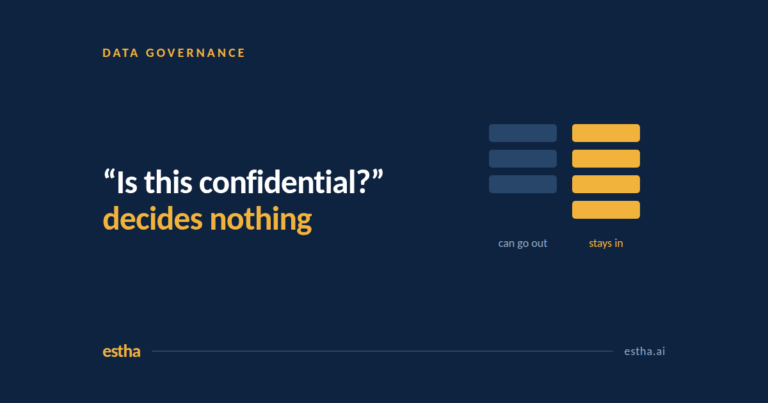
Which specific documents, in which specific process, cannot be sent outside this organisation?
Not “are we worried about AI security”, which produces an unusable answer. A named process and a named document type. Client onboarding files. Board papers. Payroll records. Audit working papers. Draft contracts. Patient notes. Internal strategy.
If the list comes back empty, a private cloud deployment is very likely sufficient and probably cheaper to run. If the list is long and sits at the centre of what the firm charges for, that is the signal to look at options where the file never travels.
The list also tells you the size of the prize. Take one process on it, multiply cases per year by hours per case by a loaded hourly cost, and you have the number the whole project should be measured against. That figure is usually far more interesting than the software price.
Six questions worth asking any private AI vendor
These are diagnostic rather than adversarial. A vendor with a clear architecture will answer all six without hesitating.
- Where exactly is inference processed in the deployment you are proposing? On the device, on a machine on our network, or in your infrastructure? Ask them to name the machine.
- Which specific workflows run in that mode, and which do not? Most platforms have exceptions. The exceptions are the answer.
- What is the cost when usage triples? A consumption model and a licence model diverge sharply at scale, and the difference usually only appears in year two.
- What happens to the deployment if our internet connection drops? This is a fast way to find out what is really running locally.
- Who administers users, and what happens when someone leaves? Individual installations and organisational deployments are genuinely different products, whatever the pricing page implies.
- What did you have to say no to in the last twelve months? A vendor who cannot name a workload they turned down has probably not been asked hard questions yet.
Where Estha on Mac sits
Estha on Mac is in the third category. It is a private AI platform for Apple Silicon, where AI inference runs locally on your Mac, either on a single machine or on a Mac on the local network that colleagues connect to. It ships with a library of ready-to-use ChatApps and a growing set of AI Agents for document work, data analysis, presentations and meetings, and organisations can have applications built around their own processes and knowledge.
The reason we write about the category rather than only the product is that the three options above are genuinely different tools. A firm running a high volume public-facing workload should probably be looking at option one. A firm whose most valuable work is also its most confidential is the firm we are built for.
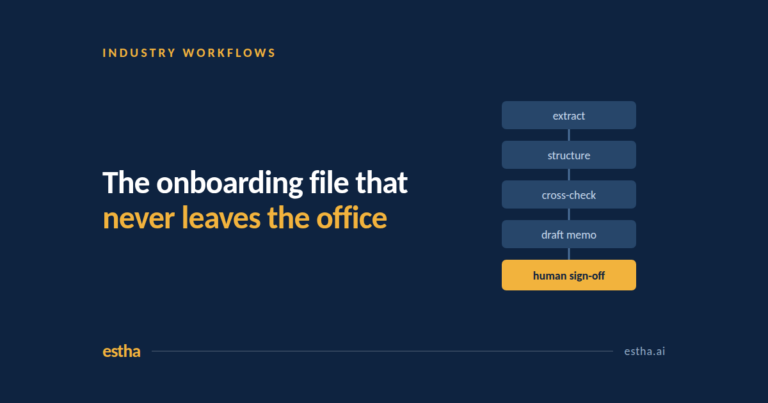
Where a workload suits it, the practical effect is the one the advisory firm was after: the onboarding file stays on a machine in the office, and the review it feeds still gets a human signature at the end.
Frequently asked questions
Is there an AI that is completely private?
No AI product should be described as completely private without qualification. What differs is where processing happens and who has access to the data on the way. An on-device deployment means that for supported workflows the content does not need to be sent to an outside AI service for inference. That is a deployment characteristic, and it should be confirmed for your specific setup rather than assumed from a marketing page.
What AI can I use privately?
Options fall into the three categories above: a dedicated cloud environment, a model hosted in your own data centre, or a model running on hardware in your office. Which one you can use depends less on the product and more on which of your documents are not allowed to travel.
Can I have my own private AI?
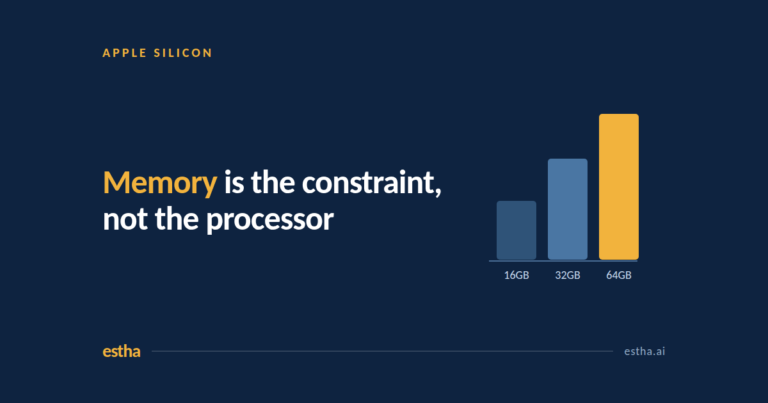
Yes, and it no longer requires a server room. A single modern workstation with enough memory can run capable models for one person or a small team. A shared machine on the office network can serve a department, provided the number of simultaneous users is sized properly before rollout.
How much does a private AI cost?
The three categories price differently. Private cloud is usually consumption based, so the bill grows with usage. On-premises is capital heavy at the start and then mostly operational. On-device is typically a machine plus a licence, with no per-token charge for local inference, which makes the running cost predictable. Custom applications built around your own processes are quoted separately and depend on the workflow, so any figure offered before someone has looked at that workflow is a guess.
Is local AI better than cloud AI?
Neither is better in general. Cloud models are larger and scale further. Local models are smaller but keep the work in the building and cost the same whether you run ten jobs or a thousand. Most organisations end up with both, and the useful exercise is deciding which workflows belong on which side.
Talk to us about a workflow
If there is one process in your organisation that is expensive, repetitive and too confidential for cloud AI, that is the conversation worth having. We start by mapping the workflow before anyone talks about software.
One email a month on private AI. For people who cannot put their work in the cloud. No spam, unsubscribe anytime.